Agents
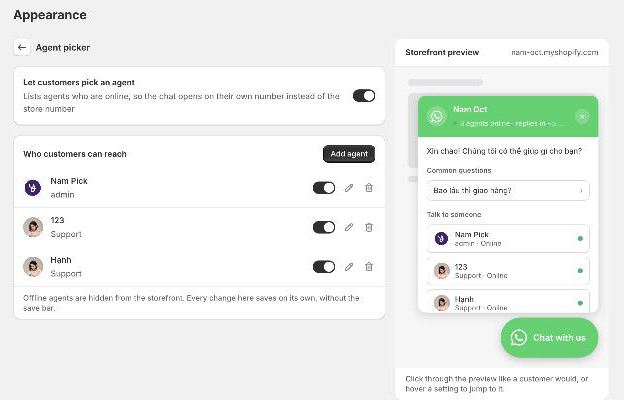
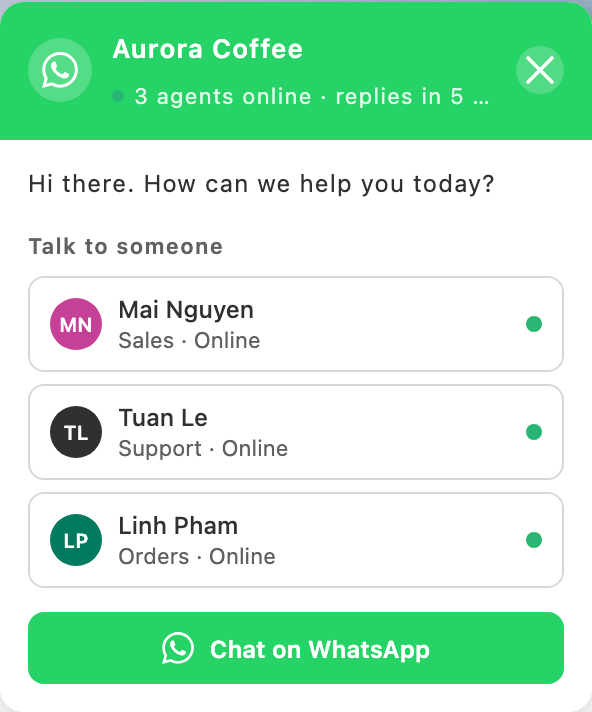
Agents live under Appearance → Agent picker. Add a teammate with their own WhatsApp number and a role such as Sales or Support; customers pick who to talk to in the chat window and the chat opens on that person's number. Add a photo too — JPG, PNG, WebP, or GIF up to 2 MB — or leave it empty and their initials stand in on a coloured circle.
Agents save on the spot. Adding someone, editing them, or flipping the online switch takes effect immediately, with no save bar to press afterwards. Because that leaves nothing to undo, removing an agent asks you to confirm first.
The online switch controls who appears. Offline agents stay in this list but are hidden from the storefront, which is the setting to reach for at the end of a shift rather than deleting anyone.
Each agent can also be limited to the countries they serve. Search the list in the agent's window and tick each one; the countries you pick appear as tags underneath. A visitor from Vietnam then sees only the agents who cover Vietnam, plus anyone left unrestricted. Leave the countries empty and that agent answers everyone — routing is opt-in, and if a filter would leave nobody at all the widget shows the full list rather than an empty one.
Worth knowing how the country is decided: it comes from Shopify Markets, not from the visitor's IP address. If your store runs a single market, every visitor looks like that market's country and routing will not separate them. Set up Markets with geolocation first, then this does what you expect.